Stop buying the milk twice.

Tandry is one shopping list for the people you live with: everyone adds to it, one person claims each item, and whoever is at the shop sees the latest version.
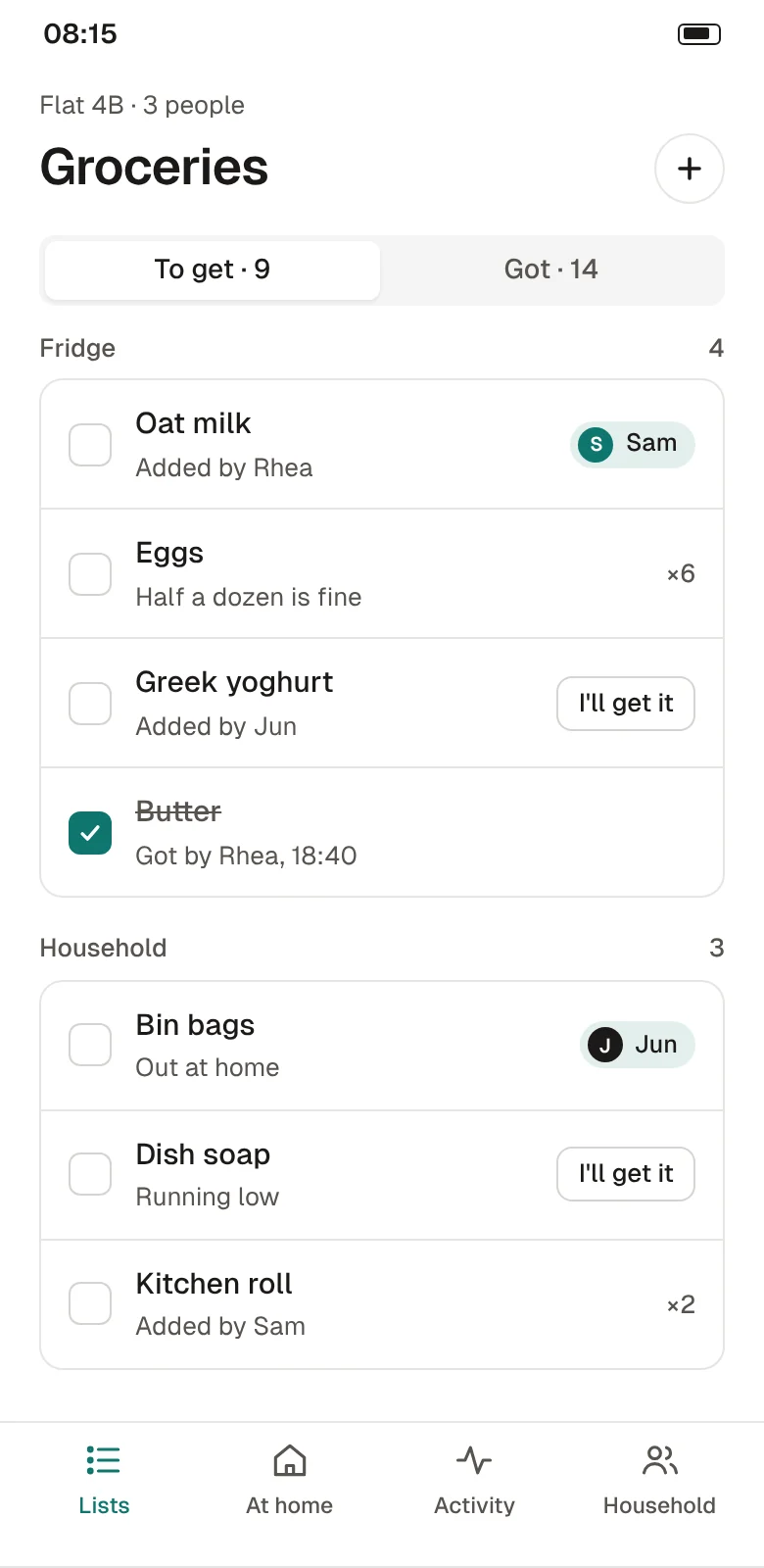
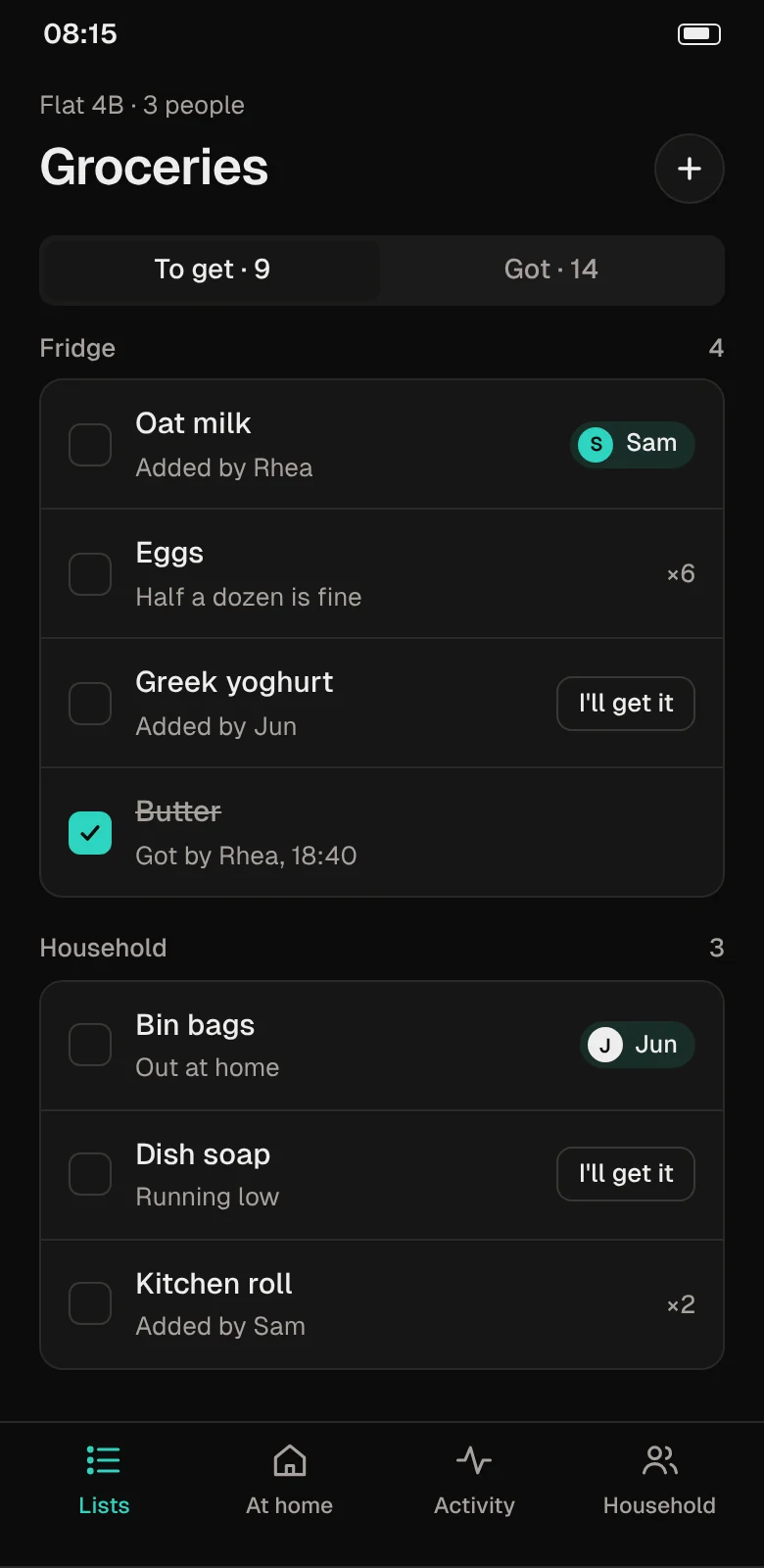
Tandry's Groceries list for a flat of three: nine items to get, grouped into Fridge and Household, with Sam claiming oat milk and Jun claiming bin bags.Tandry's Groceries list for a flat of three: nine items to get, grouped into Fridge and Household, with Sam claiming oat milk and Jun claiming bin bags. Dark theme.
Tandry's shopping mode: Sam is at the shop with four of six items ticked, and Rhea has just added lemons.Tandry's shopping mode: Sam is at the shop with four of six items ticked, and Rhea has just added lemons. Dark theme.
The shared list, and the same list while someone is at the shop. Sample data.

A group chat is not a shopping list.

Most households already tell each other what they need. It just gets lost between the other messages.

  1. 01

    Two people buy the same thing

    You both saw "we're out of milk" in the chat, and you both stopped on the way home.

  2. 02

    Nobody buys the boring things

    Bin bags and dish soap never feel urgent until they run out, and it's usually the same person who notices.

  3. 03

    The list is on the fridge, and you're at the shop

    A paper list only helps whoever is standing in the kitchen.

Try it on a sample list

Tick something when it's in the basket and it moves to Got, the way it does for everyone in the house.

A sample list for this page. Nothing is saved or sent.

To get 4

Got 1

How it works

Five screens do most of the work. Everyone in the household sees the same list, and it updates as people tap.
Groceries list: items grouped into Fridge and Household, each with who added it, a quantity or who is getting it.Groceries list: items grouped into Fridge and Household, each with who added it, a quantity or who is getting it. Dark theme.
  • Items sit under where they live: fridge, cupboard, household.
  • Each item shows who added it, plus any note, such as "half a dozen is fine".
  • Ticked items move to Got, so the list stays short.
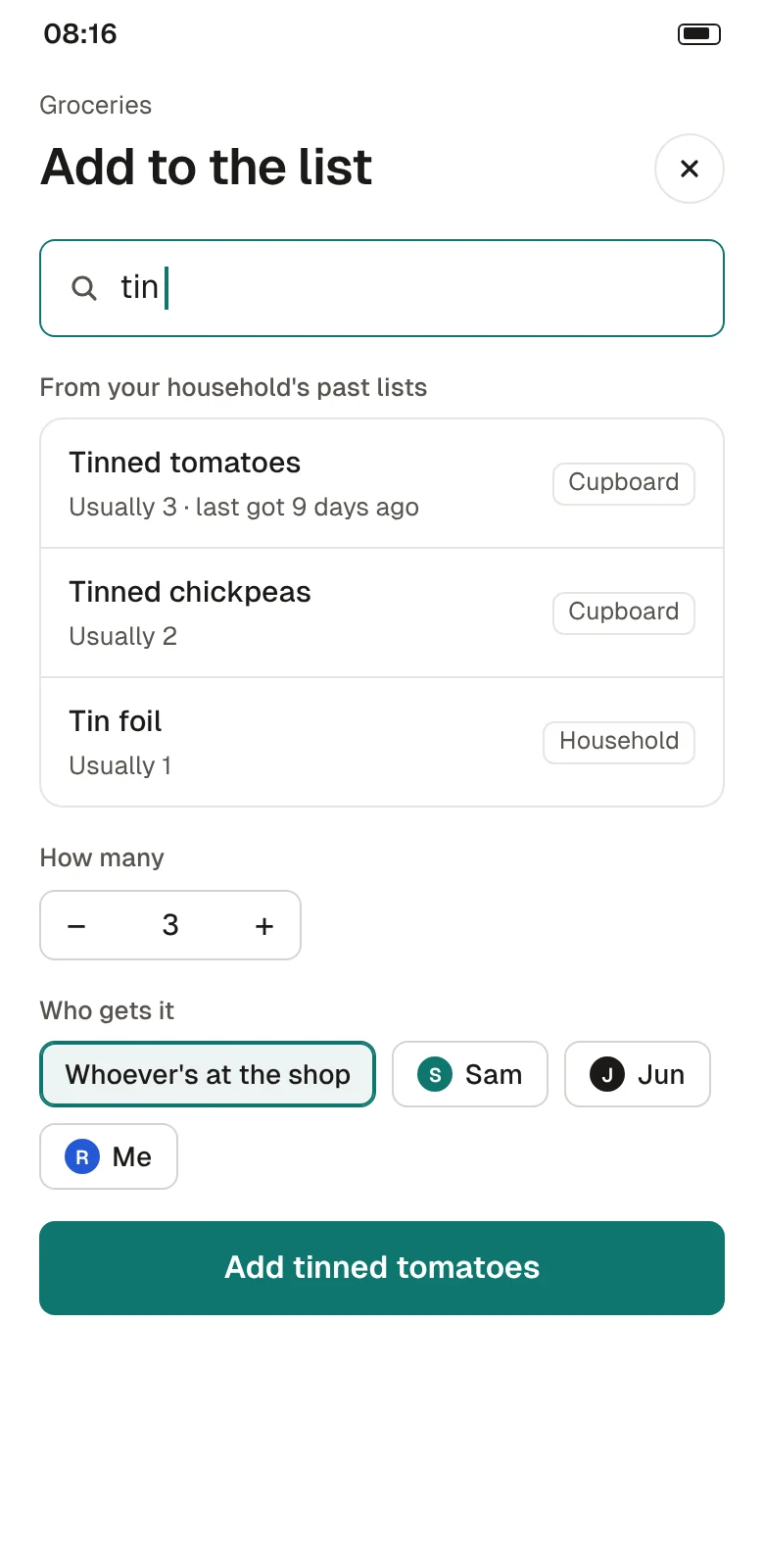
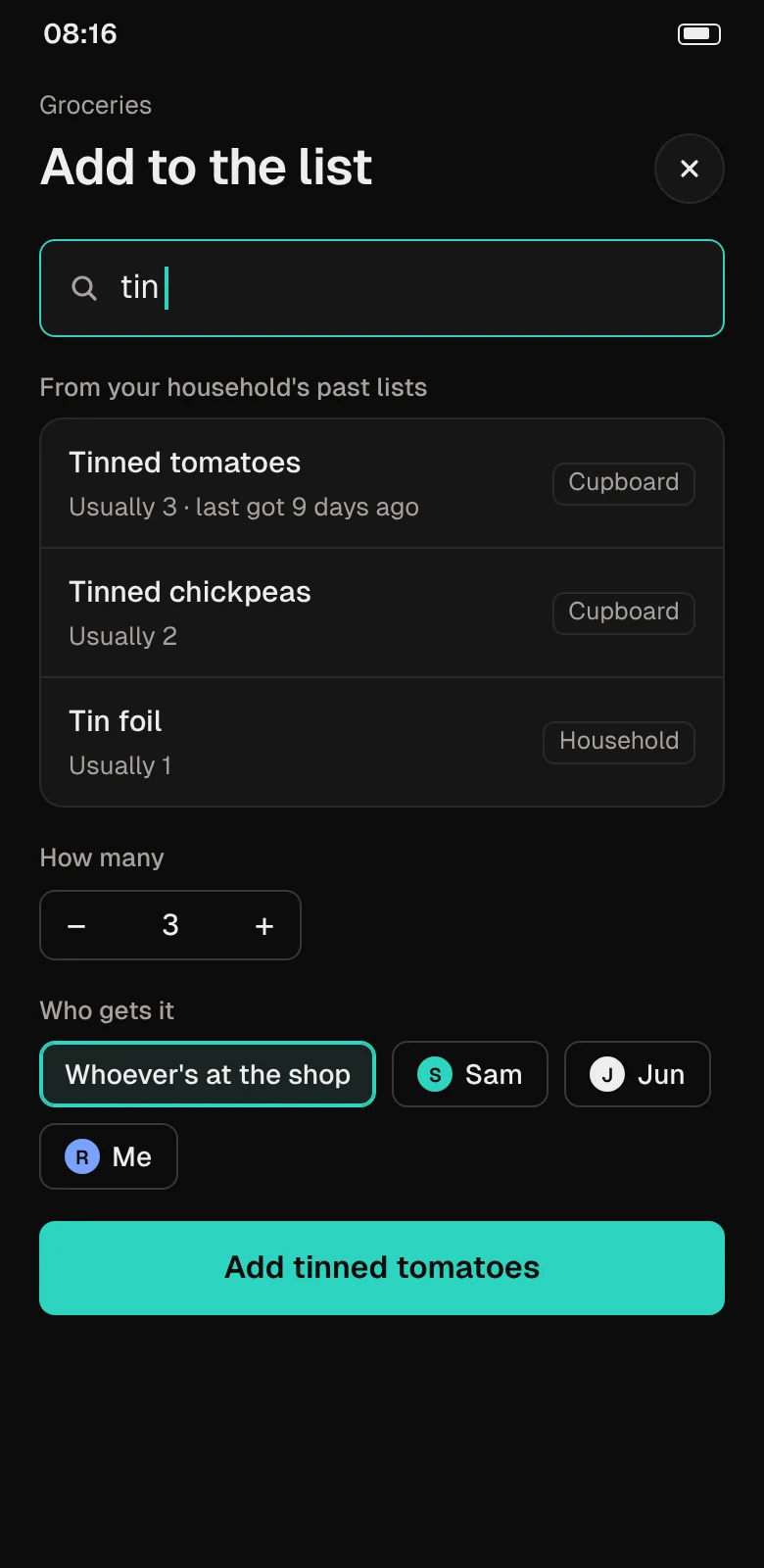
Add to the list: typing "tin" suggests tinned tomatoes, chickpeas and tin foil from past lists, with a quantity of 3 and who should get it.Add to the list: typing "tin" suggests tinned tomatoes, chickpeas and tin foil from past lists, with a quantity of 3 and who should get it. Dark theme.
  • Suggestions come from your household's own past lists, with the usual quantity.
  • Choose who gets it, or leave it for whoever shops next.
  • A claimed item shows a name, so the rest of the house knows it's covered.
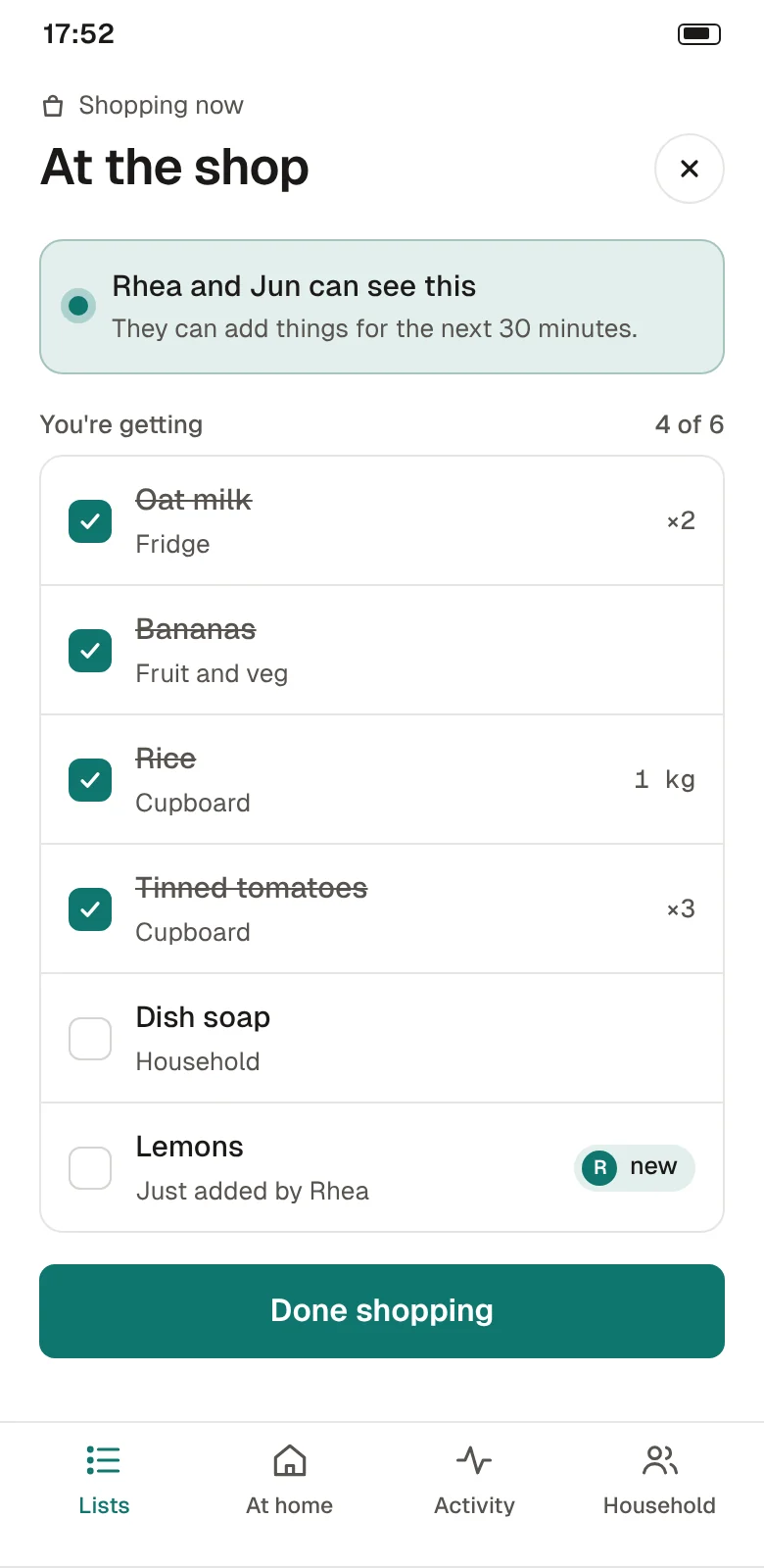
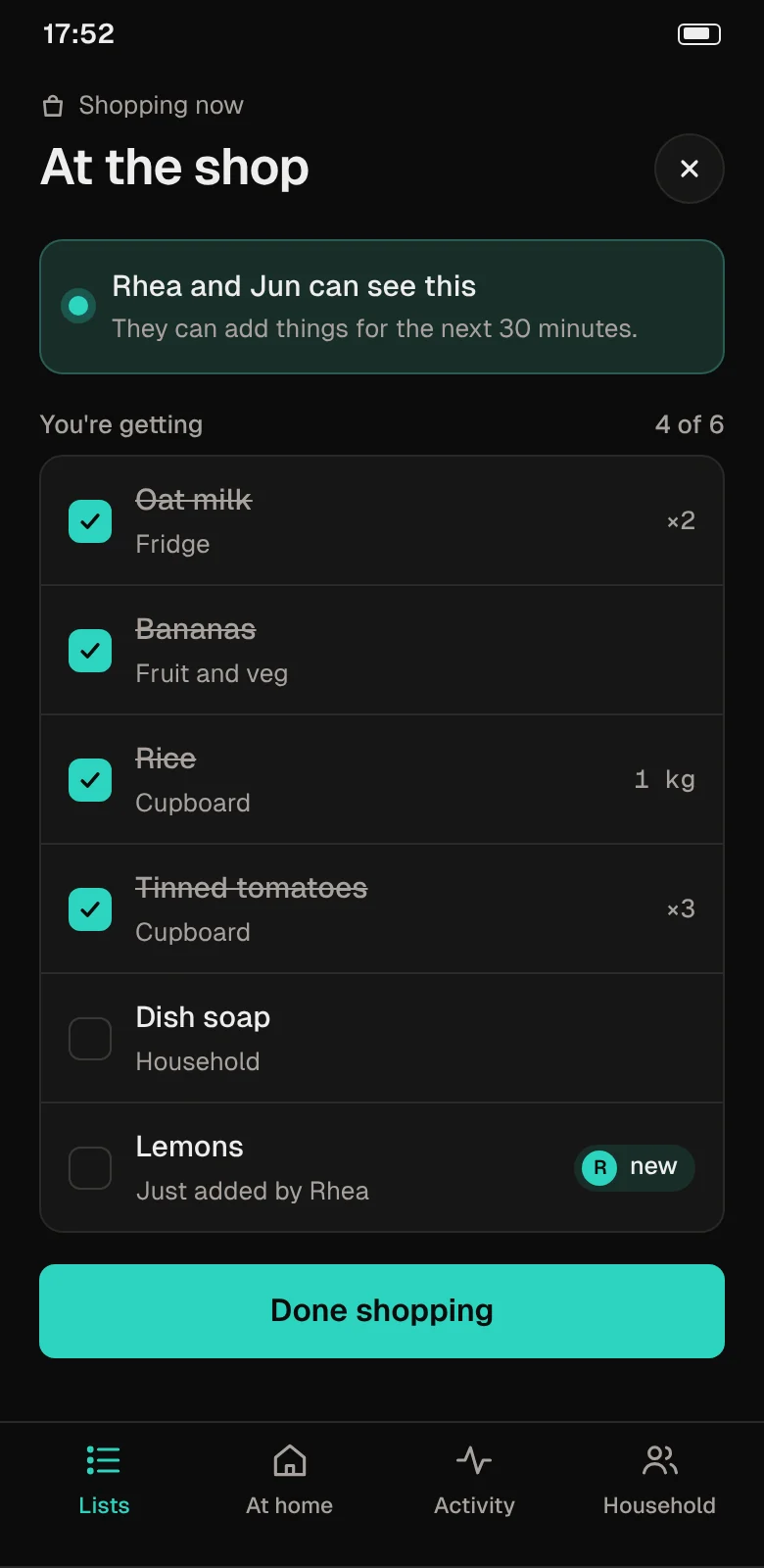
At the shop: a banner says Rhea and Jun can see this and add things for the next 30 minutes; four of six items are ticked.At the shop: a banner says Rhea and Jun can see this and add things for the next 30 minutes; four of six items are ticked. Dark theme.
  • Start shopping and the household gets a quiet heads-up.
  • Anything added while you're there appears at the bottom, marked new.
  • Tap Done and everyone sees what you got and what was out of stock.
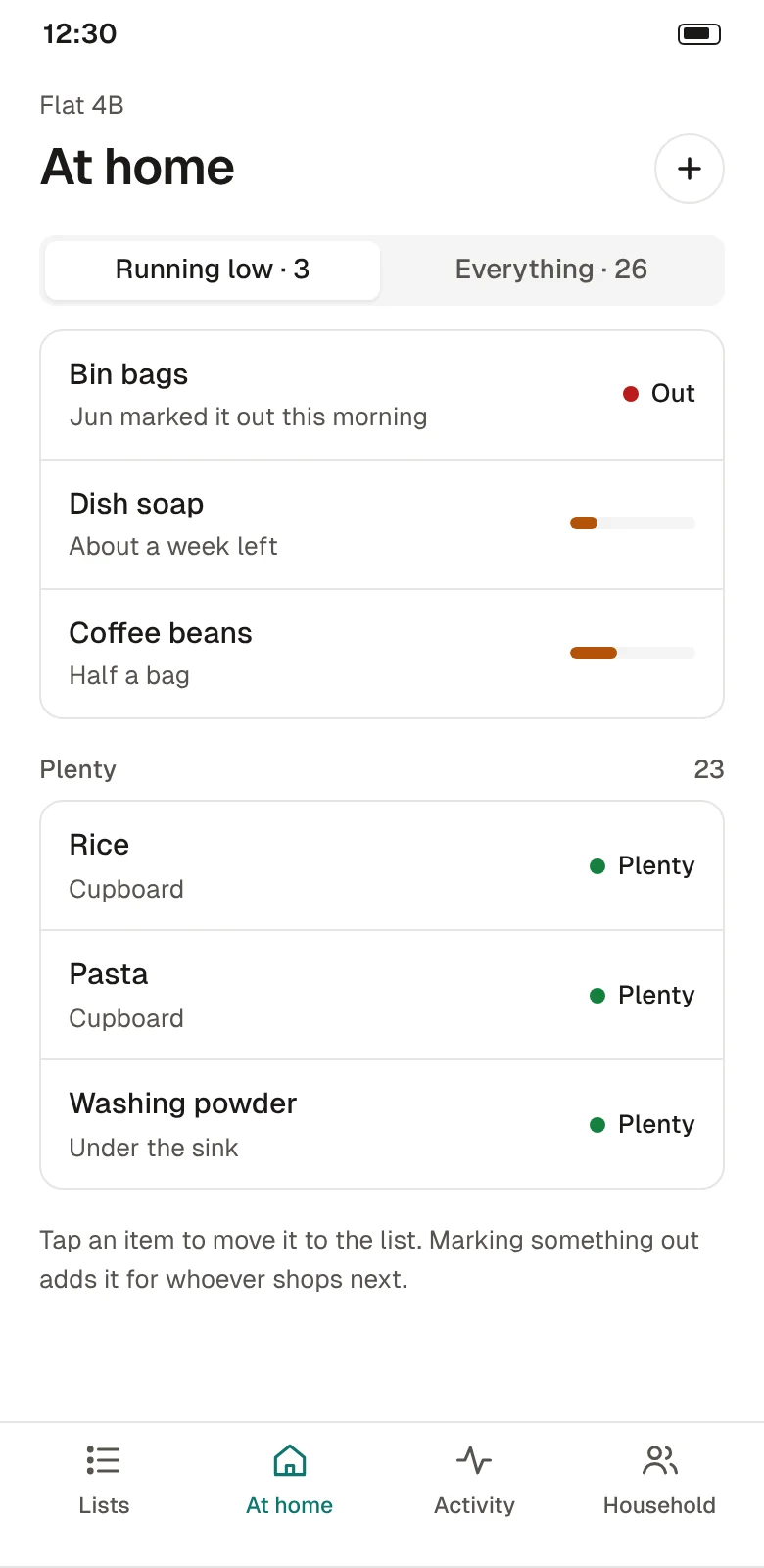
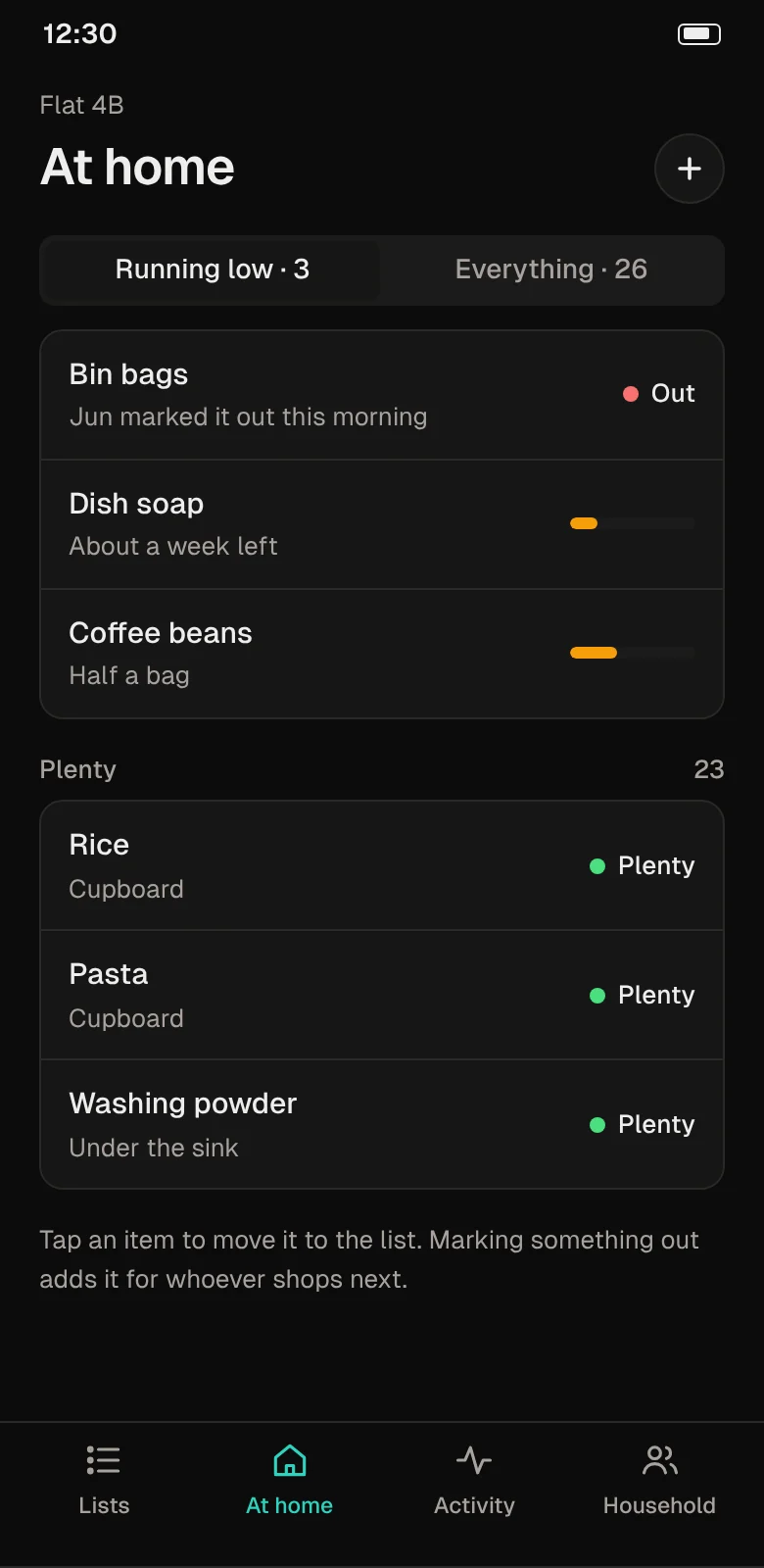
At home: bin bags are out, dish soap and coffee beans are running low, and rice, pasta and washing powder are plentiful.At home: bin bags are out, dish soap and coffee beans are running low, and rice, pasta and washing powder are plentiful. Dark theme.
  • Running low shows first, so the boring things get noticed.
  • Marking an item out adds it to the list for whoever shops next.
  • No barcode scanning or weighing: just plenty, low or out.
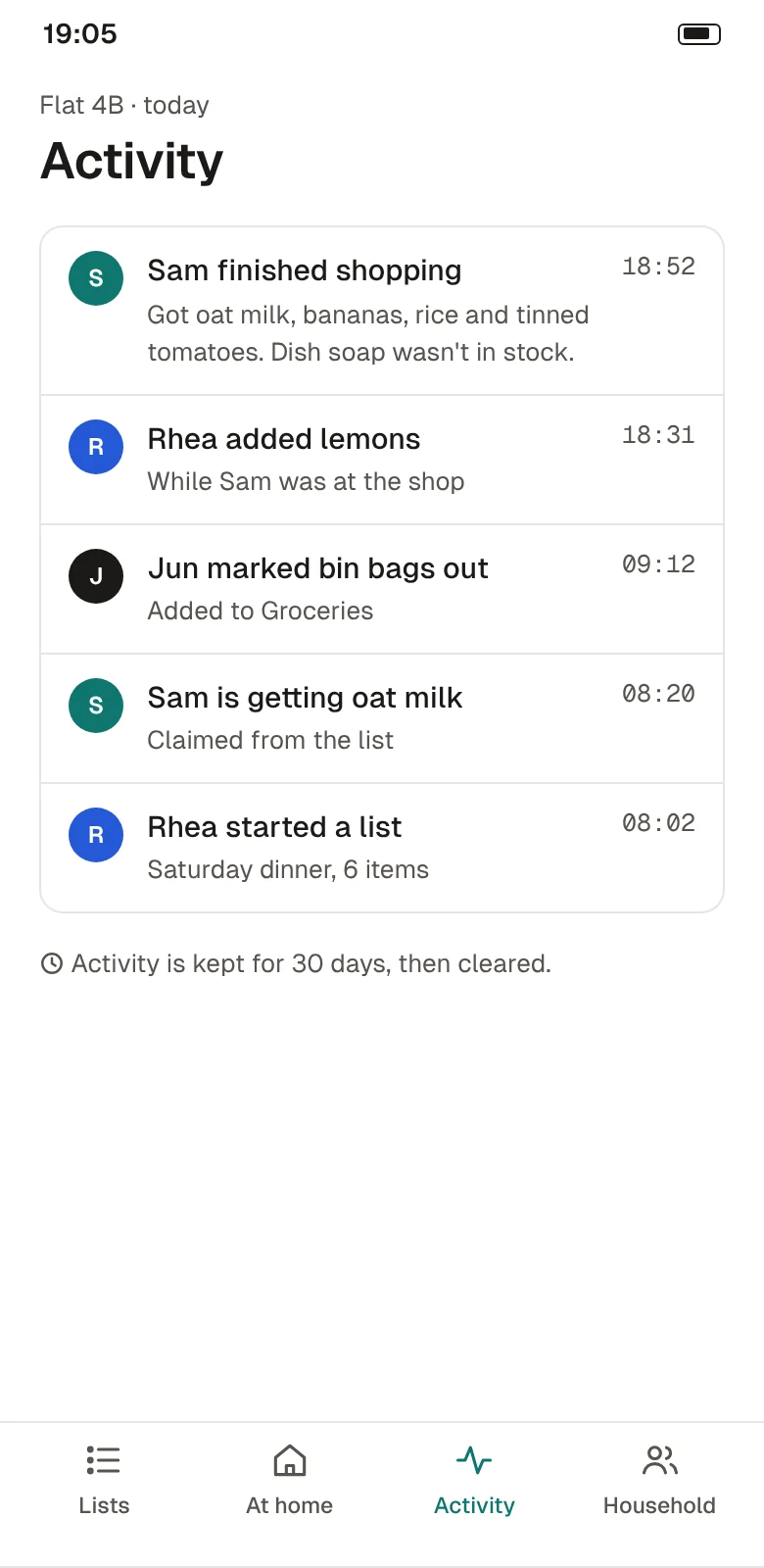
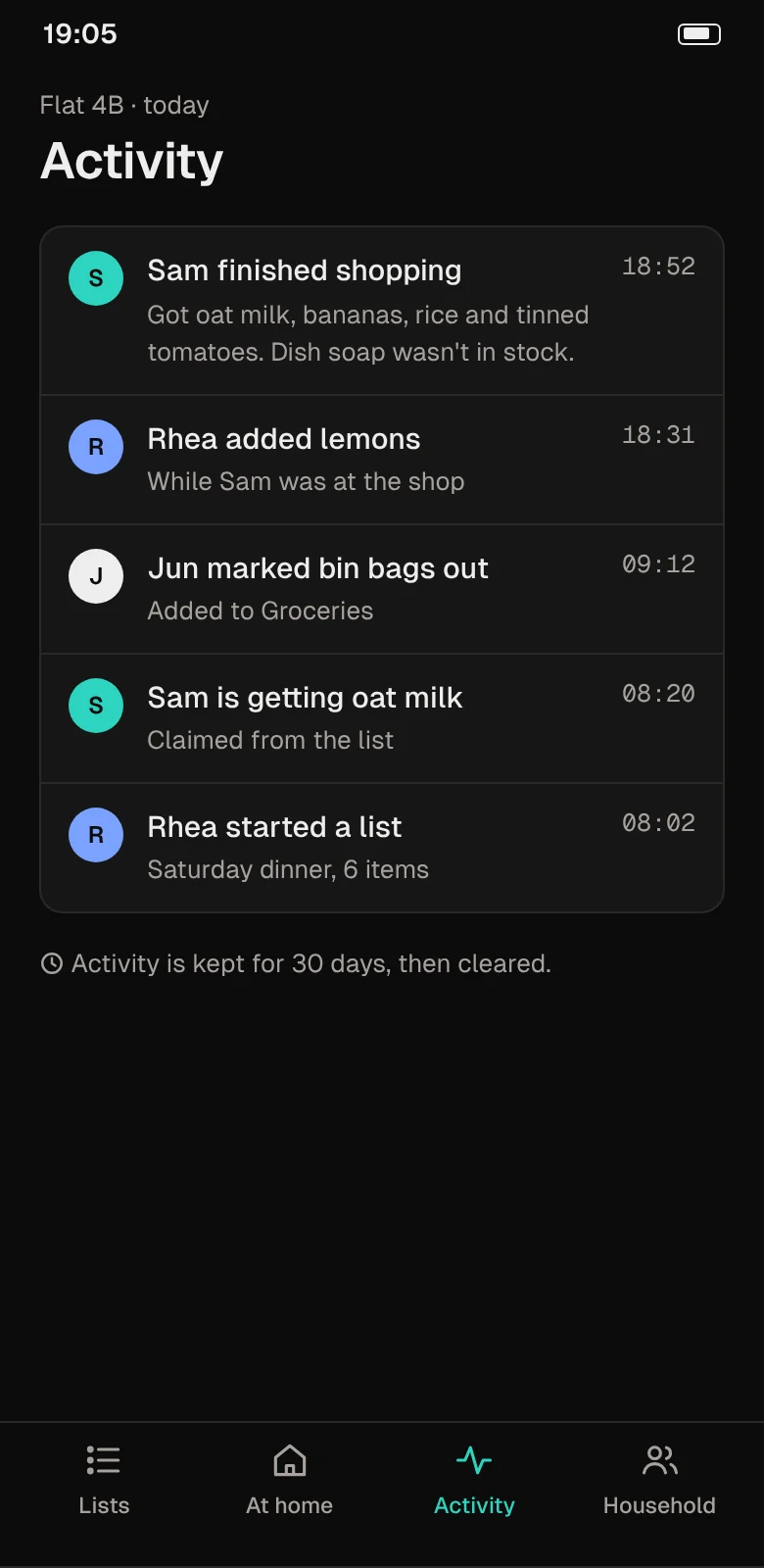
Activity: Sam finished shopping, Rhea added lemons while Sam was at the shop, and Jun marked bin bags out.Activity: Sam finished shopping, Rhea added lemons while Sam was at the shop, and Jun marked bin bags out. Dark theme.
  • Answers "did anyone get the milk?" without a message.
  • Shows what was out of stock at the shop.
  • Kept for 30 days, then cleared.

What's in the app

Everything below is in the free app. The household plan adds more lists and longer history, not features held back.

Any kind of household
Couples, flatmates and families. Invite people with a link; anyone can leave at any time.
Lists beyond groceries
Keep separate lists for the hardware shop, the pharmacy or a weekend away.
Claims and notes
Put your name on an item, or add a note about the brand, size or how many.
Shopping mode
Lets the house add things while you're at the shop, then shows what you got.
At home
Plenty, low or out for the things you always need. Out goes straight on the list.
Works without signal
Add and tick items in a shop with no reception; changes sync when you're back online.
No ads
Lists are only used to run the app. They are not sold or shared. See the privacy page.
Light and dark
Follows your phone's setting, with large text supported.

How it compares

Three common ways a household keeps track of shopping, compared by approach. This is about what each one leaves for you to do, not about other apps.

QuestionGroup chatPaper list on the fridgeTandry
The latest list at the shopPartly: If you scroll back far enoughNo: Only if someone takes a photoYes: Updates as people add
Stops double buyingNo: Only if someone replies firstNo: NoYes: A claimed item shows a name
Remembers the boring thingsPartly: If someone posts about itPartly: If someone writes it downYes: Out at home goes on the list
Setting upYes: Nothing new to installYes: A pen and a magnetNo: Everyone installs the app and joins by link
No phone signalPartly: Messages wait to sendYes: Always worksPartly: Works, then syncs when you're back online
What it costsFreePaperFree app; optional household plan

Pricing

The free app is the whole app for most homes. The household plan is for busy houses that want more lists and a longer history.

Free

Sample price

$0for one household

Everything in the app, for one household.

  • Three shared lists
  • Claims, notes and shopping mode
  • At home for up to 30 items
  • Activity for 30 days
Get the app

Household

Sample price

$3per month, per household

For houses that shop for more than one thing.

  • Unlimited lists
  • At home with no item limit
  • Activity for a year
  • Export lists as CSV
Start with the free app

Prices are placeholders for this template. Store fees and taxes depend on where you sell.

Questions

Something else? Ask support.

Does everyone need the app?

Yes, to add and tick items. You can also share a read-only link to one list, which helps with a guest or a visiting parent.

Can I use it on my own?

Yes. A household of one works fine, and At home is useful even if nobody else ever adds anything.

Who can see our lists?

Only the people in your household. Lists are stored so they can sync between phones, and you can export or delete them at any time.

The privacy page explains what is kept and for how long.

What happens if someone moves out?

They leave the household from their own phone, or anyone else can remove them. Their past activity stays, with their name, until it is cleared after 30 days.

Does it track prices or split bills?

No. Tandry is only about what to buy and who is getting it. Keep using whatever you already use for money.

Get Tandry

Free to download. Once you're in, invite the people you live with by link.

One email with the link. No newsletter.

Scan with your phone's camera to open the download page.