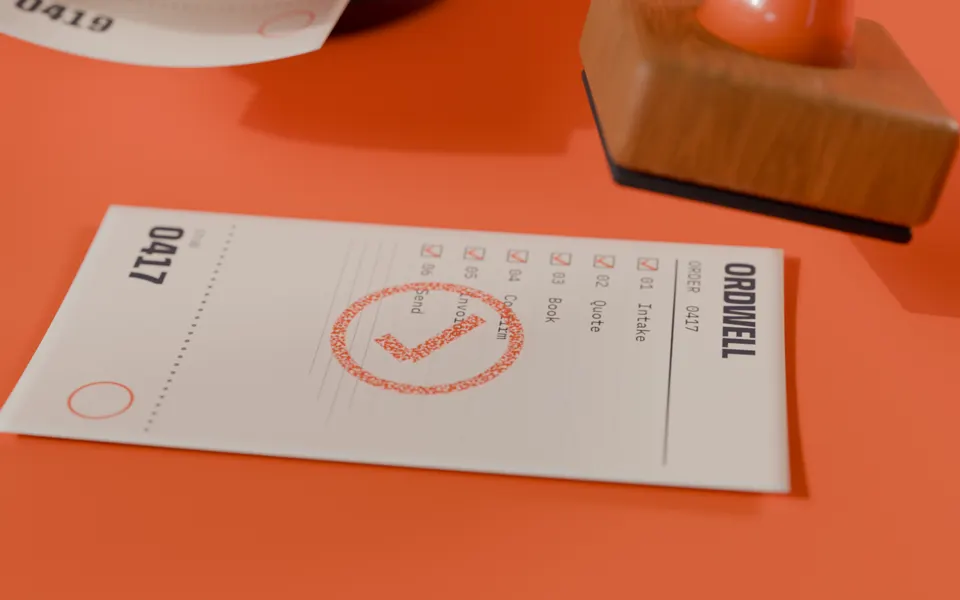
Ordwell builds AI workflows for small businesses. Every order you get runs through steps you can read. A person says yes where it matters, and the finished job goes on the spike.
Plate 1 The spike, the stamp and one workflow on the counter. Path-traced.
01 How one runs
One order, six steps, one stamp.
ORDER 0417Running
Catering for 30, Friday lunch
01 Intake The request lands in your inbox: 30 people, Friday at 12, two vegetarian.
02 Quote Your price list and Friday's stock make a quote: $540.
03 Book The slot is held in your calendar. The van is free.
04 Confirm You read the quote and press yes. Nothing leaves without a person. M.O. 10:42
05 Invoice The invoice is made in your accounting tool, due in 14 days.
06 Send Quote, booking and invoice go out in one reply.
Steps you can read0 of 6
Plate 2 Order 0417 gets its stamp.Frame 001/120
02 The spike
Run it. Approve it. Spike it.
Four tickets just came in. Press Run and watch each step tick. The refund waits for you, because money back is a person's call. When a ticket is done, throw it on the spike or press Spike it.
ORDER 0418New
Table for 4, Saturday 7pm
Read the message
Check the tables
Hold table 6
Reply with a yes
Done
ORDER 0419New
Refund: chipped mug, $24
Read the email and photo
Find order 3381
Draft a $24 refund
You approve
Refund and reply
Refund $24 to Ada Novak for order 3381?
Done
ORDER 0420New
Invoice 207 is 14 days late
Find the invoice
Draft a kind reminder
Send it from you
Log it in the books
Done
ORDER 0421New
Flour is up 6% from Monday
Read the supplier PDF
Update the price list
Flag 3 recipes
Tell you in one line
Done
Nothing on the spike yet.
03 What goes on the rail
The jobs we automate most.
JOB ADaily
Order intake
Emails, forms and DMs become one clean order in your system.
A person checks anything unusual.
JOB BDaily
Bookings
Tables, rooms and slots held and confirmed from your real calendar.
Double bookings are blocked, not guessed.
JOB CAs they come
Refunds
Read, matched to the order and drafted with your policy quoted.
You approve every refund.
JOB DWeekly
Invoice chasing
Kind reminders on day 7 and day 14, sent from you, logged in the books.
Stops the moment they pay.
JOB EWhen it changes
Supplier updates
Price sheets read, your list updated, the affected items flagged.
Nothing is repriced without a yes.
JOB FMondays
The Monday sheet
Last week on one page: orders, refunds, late invoices, what moved.
Printed, if you like paper.
04 The shift plan
Four weeks on your counter, then it's yours.
Week 1
Sit at your counter
We watch one real day of orders and pick the job that eats the most hours.
Weeks 2–3
Build on your tools
Your inbox, calendar and accounts. No new app for your team to learn.
Week 4
Hand over the keys
It runs in your accounts, with a one-page guide and a person to call.
After
Care plan, if you want one
We watch the spike with you and fix what breaks. Cancel any month.
Example prices for a fictional studio. Change them in index.html.
06 Write a ticket
Tell us the task that eats your week.
We reply within one working day with a yes, a no, or a question. No newsletter.
Notes on the back.
Will this replace my staff?
No. It takes the copy-paste work off their plate. Your people still make the calls, and the workflow asks them whenever money or a promise is involved.
What if the AI gets it wrong?
Every run is written down as steps you can read, like the tickets above. Anything risky waits for a person. If a step fails, the ticket stops and tells you why.
Which tools do you work with?
The ones you already use: your inbox, calendar, accounting tool and spreadsheets. We check access in week one before promising anything.
Who owns the workflow?
You do. It runs in your accounts, and you get the guide and every setting. If you stop working with us, it keeps running.
Is Ordwell a real studio?
No. Ordwell is a fictional brand made for this template. Replace the copy, prices and plates with your own.